Important Notice: This extension is NOT affiliated with Amazon, Amazon Prime Video, or any Amazon services. Prime Video is a trademark of Amazon.com, Inc.

Available in the Chrome Web Store

A Cleaner Prime Video Experience

Hide overlays, remove distractions, and customize your Prime Video interface. Watch without interruptions — the way you want to watch.

Hide X-Ray Info

Avoid spoilers from character reveals and trivia

Clean Interface

Remove clutter for a cinematic feel

Your Controls

Toggle individual features as needed

Instant Changes

No page refresh needed

Chrome Verified
Regular Updates
No Extension Tracking
Indie Developer

Prime Video Enhancer Icon
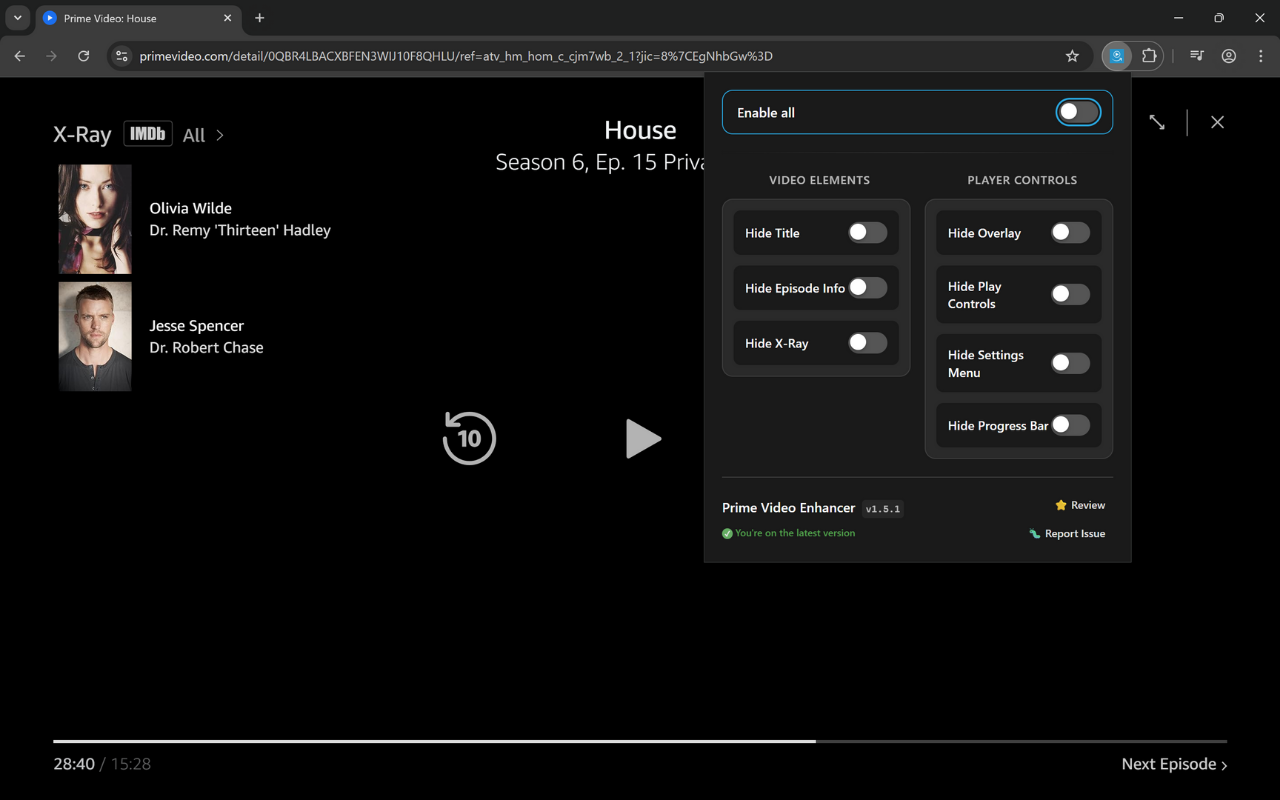
Prime Video Enhancer showing clean interface options
7 Customization Options
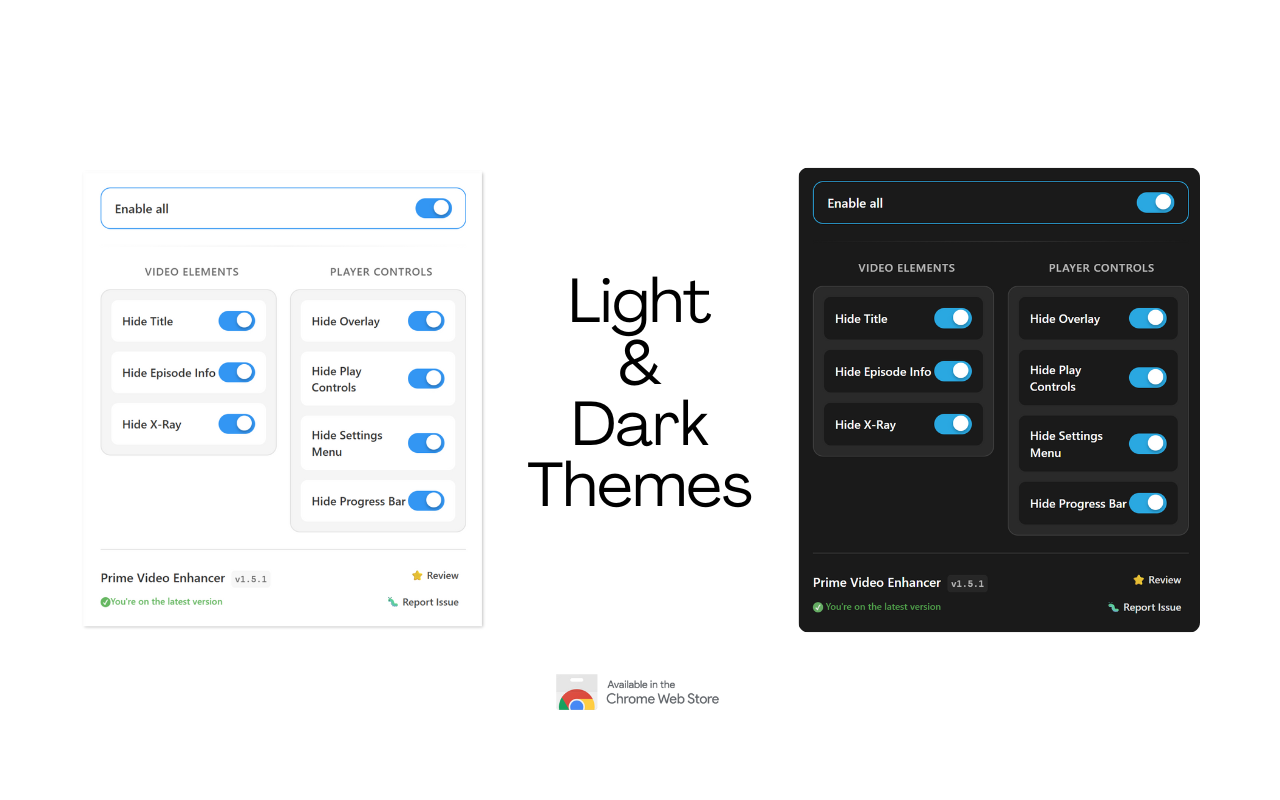
Light & Dark Theme Support
Live Interactive Demo

See the Transformation Instantly

Toggle between cluttered Prime Video and your new clean experience. See exactly what changes before you install.

Click to compare · auto-plays every 7 s

Standard Prime Video Interface
Distracting
Enhanced Prime Video Interface
Clean & Focused
Clean Title Area 🎬
No distractions
No More Spoilers ✨
X-Ray info hidden
Minimal Controls ⚙️
Only what you need
Cinema Mode 🍿
Pure viewing experience
Hidden Timeline ⏱️
No spoiler thumbnails

Video content protected by copyright

Spoiler Protection

Hide character names, episode titles, and X-Ray information that might ruin surprises

Instant Toggle

Turn features on and off instantly - no page refresh needed, changes apply immediately

Cinema Experience

Create a true cinematic viewing experience with minimal distractions

Chrome Verified
Easy Setup
No Extension Tracking
Always Free

Trusted by thousands of users worldwide • Completely free • No data collection • 30-second setup

Ready for This Clean Experience?

Install Prime Video Enhancer and start enjoying distraction-free viewing in under 30 seconds.

Install from Chrome Web Store

What Users Are Saying

Real feedback from real users on Chrome Web Store

5/5
"Life Saving extension, removes those terrible dark overlays so you can pause/rewind to your hearts content."
Nicholas S
January 2025
Read full review →
5/5
"Finally, a solution to something that Amazon Prime are too ignorant to fix. Thank you very much!"
Phillip Ly
November 2024
Read full review →
5/5
"That's like a charity work. Guys it fixed my problem instantly. That extension is awesome. THANKS!!"
Muhammed Lütfü O.
January 2025
Read full review →
5/5
"Was looking for this for a long time and finally found it. Great Job"
JV Vigneesh
November 2024
Read full review →

Having Issues? I'm Here to Help! 🤝

As an indie developer, I personally respond to all feedback. Most issues can be resolved quickly, and your input helps improve the extension for everyone.

Want to see more? Check out all reviews on Chrome Web Store

View All Reviews

Complete Control Over Your Viewing Experience

Customize every aspect of the Prime Video interface to create your perfect viewing environment

Hide Distractions

Clean, focused viewing - hide titles, overlays, and interface elements you don't need for a pure cinematic experience

Private Extension

The extension has no tracking or analytics. Your settings stay on your device, and your viewing habits remain private

Global Support

Works across all Amazon Prime Video regions and domains worldwide - from amazon.com to amazon.jp and everywhere in between

Available in the Chrome Web Store
5,000 users
4.8/5 rating
Chrome Verified

Everything You Need to Know

Quick answers about Prime Video Enhancer and its privacy-first design

What does Prime Video Enhancer actually do?

Prime Video Enhancer gives you control over what appears while you watch:

  • Hide titles and episode information to avoid spoilers
  • Remove X-Ray overlays and popups for cleaner viewing
  • Customize player controls to show only what you need
  • Toggle features instantly without refreshing the page
  • Use the same features across supported Prime Video regions

Think of it as a personalization layer for a calmer viewing experience.

How is this different from other Prime Video extensions?

The extension focuses on a small set of practical principles:

  • The extension does not collect viewing or browsing data
  • Changes apply immediately without a page refresh
  • Supported Amazon Prime Video domains work worldwide
  • The project is independently developed and shaped by user feedback

4.8/5 from 49 Chrome Web Store reviews.

Is this really free forever? What's the catch?

The extension is free to install and use:

  • No advertising, subscriptions, or paid feature tiers
  • Optional contributions support ongoing development
  • Contributors and non-contributors receive the same extension features

If it helps, an honest Chrome Web Store review also supports the project.

How do I install and start using it?

Installation usually takes less than a minute:

  1. Open Prime Video Enhancer in the Chrome Web Store
  2. Select Add to Chrome and confirm the installation
  3. Open a Prime Video page
  4. Use the extension icon to select the features you want

Pin the extension to the toolbar for easier access.

Is it safe to use? What about my privacy?

Privacy protections apply inside the extension:

  • No viewing-history or browsing-data collection
  • No extension analytics, tracking, or advertising
  • Settings remain in local browser storage
  • Permissions are limited to supported Prime Video pages

Used by 5,000 people according to the current Chrome Web Store snapshot.

Will this work with my browser and region?

The extension is designed for desktop Chromium-based browsers:

  • Chrome, Edge, Brave, and compatible Chromium browsers
  • Supported Amazon and Prime Video domains worldwide
  • Prime Video pages in any interface language

Browser extensions do not run in Prime Video mobile apps or Smart TV apps.

What if I need help or have suggestions?

Feedback goes directly into maintaining and improving the extension:

  • Use the feedback form for bug reports and feature requests
  • Include reproduction steps and environment details when reporting a bug
  • Use the Chrome Web Store when you want to leave a public review

Open the feedback formLeave a Chrome Web Store review

Extension Stats

5,000
Total Users
4.8/5
Average Rating
49
Reviews
1.17.0
Current Version
Extension updated: Store stats snapshot:

Install in 30 Seconds

Three simple clicks and you're done. No account, no signup, no complexity.

1

Click "Add to Chrome"

Visit the Chrome Web Store and click the big blue button.

Open Chrome Store
2

Confirm Installation

Chrome will ask for permission. Click "Add extension" to confirm.

Safe & Verified
3

Start Customizing

Go to Prime Video and click the extension icon to toggle features.

Works Instantly

That's It! 🎉

No Account Required
Instant Setup
No Extension Tracking
Need More Help? See Detailed Guide

Step-by-Step Walkthrough

1

Visit Chrome Web Store

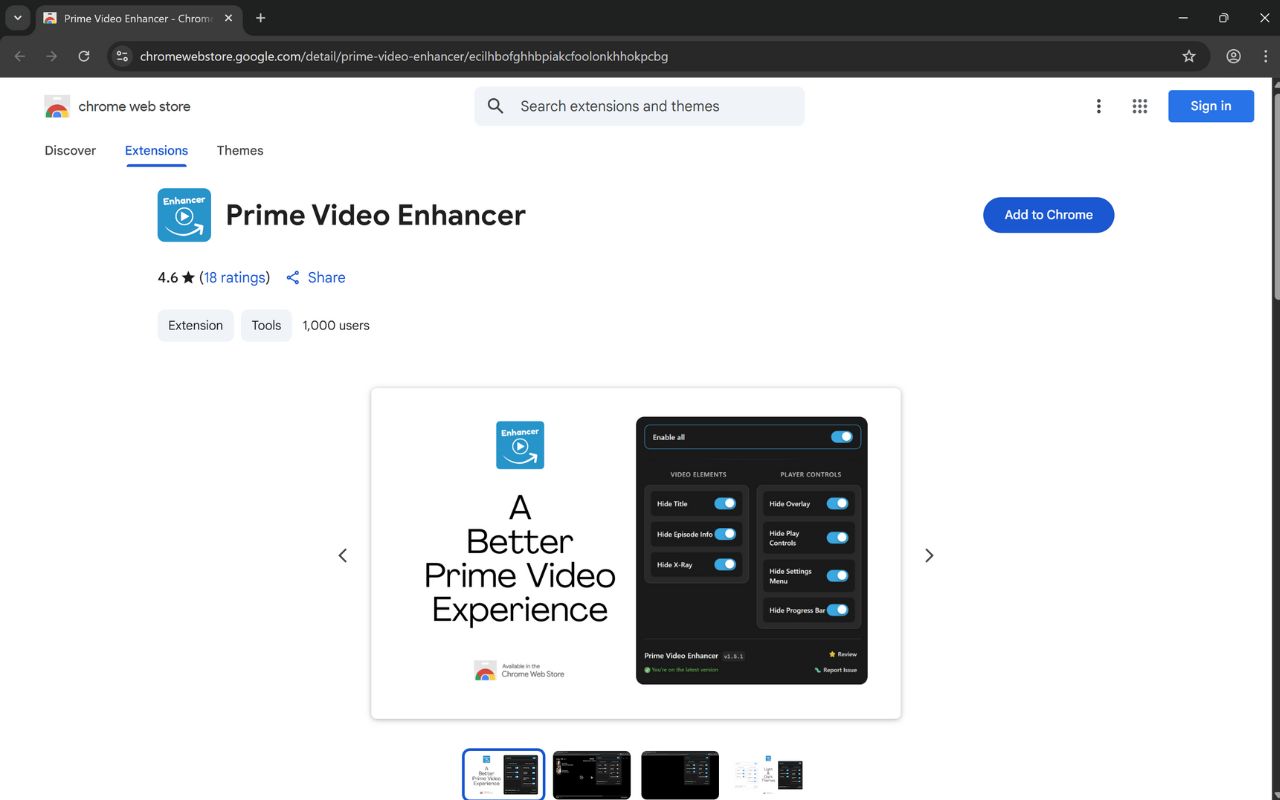
Click the button below or search for "Prime Video Enhancer" in the Chrome Web Store. You'll see the extension page with all the details and reviews.

Open Chrome Web StoreOpens in new tab
Chrome Web Store page showing Prime Video Enhancer with Add to Chrome button
2

Click "Add to Chrome"

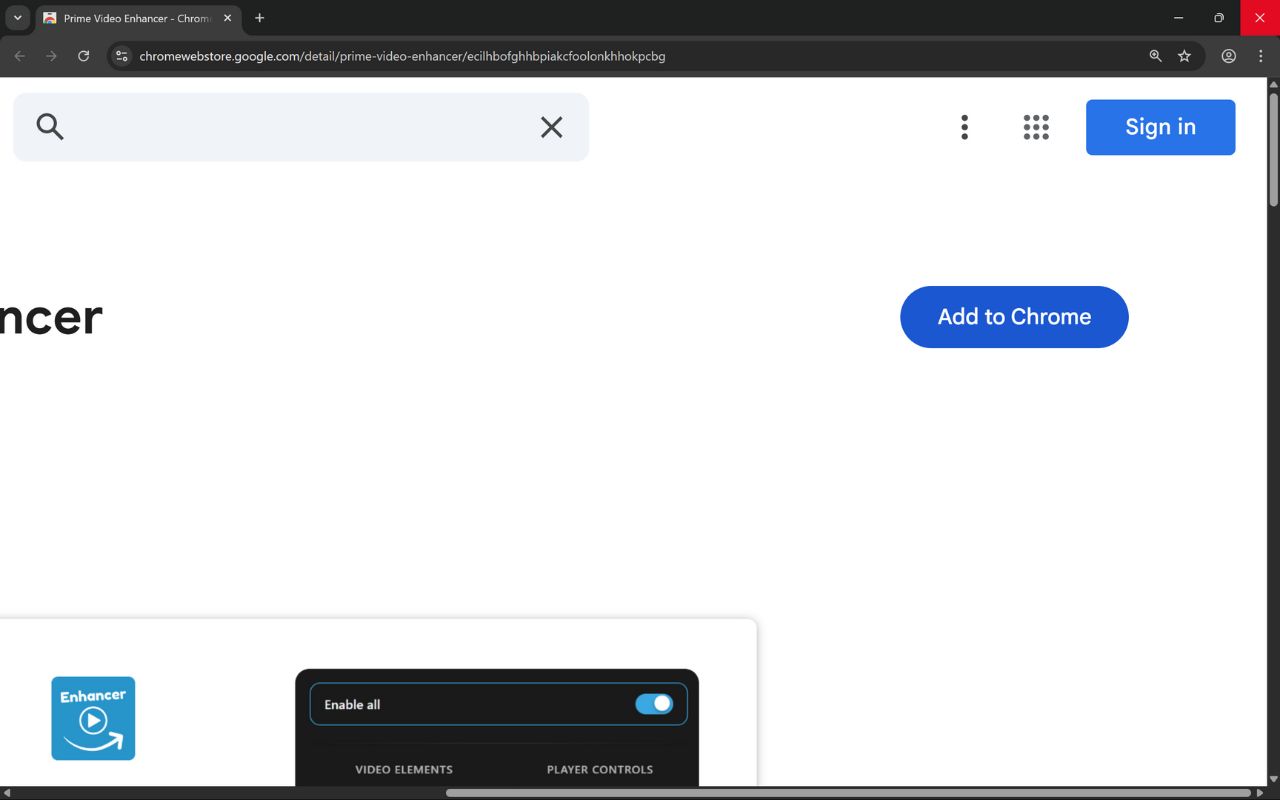
Look for the blue "Add to Chrome" button on the extension page and click it. This will start the installation process.

The big blue button is easy to spot on the right side of the page.
Chrome Web Store Add to Chrome button highlighted
3

Review Permissions

Chrome will show you exactly what permissions the extension needs. Prime Video Enhancer only needs access to Prime Video pages to modify the interface.

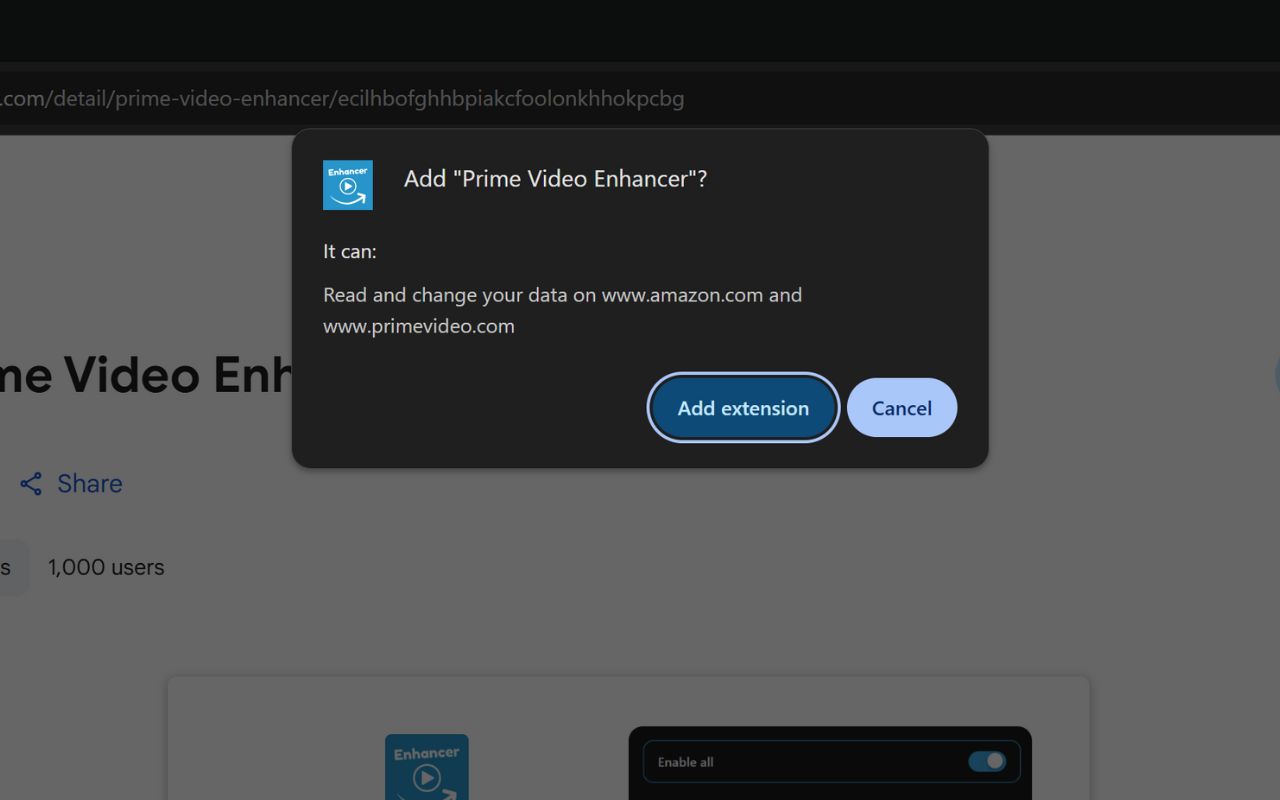
Only needs access to amazon.com and primevideo.com - no other websites or personal data.
Chrome permission dialog asking to add Prime Video Enhancer extension
4

Confirm Installation

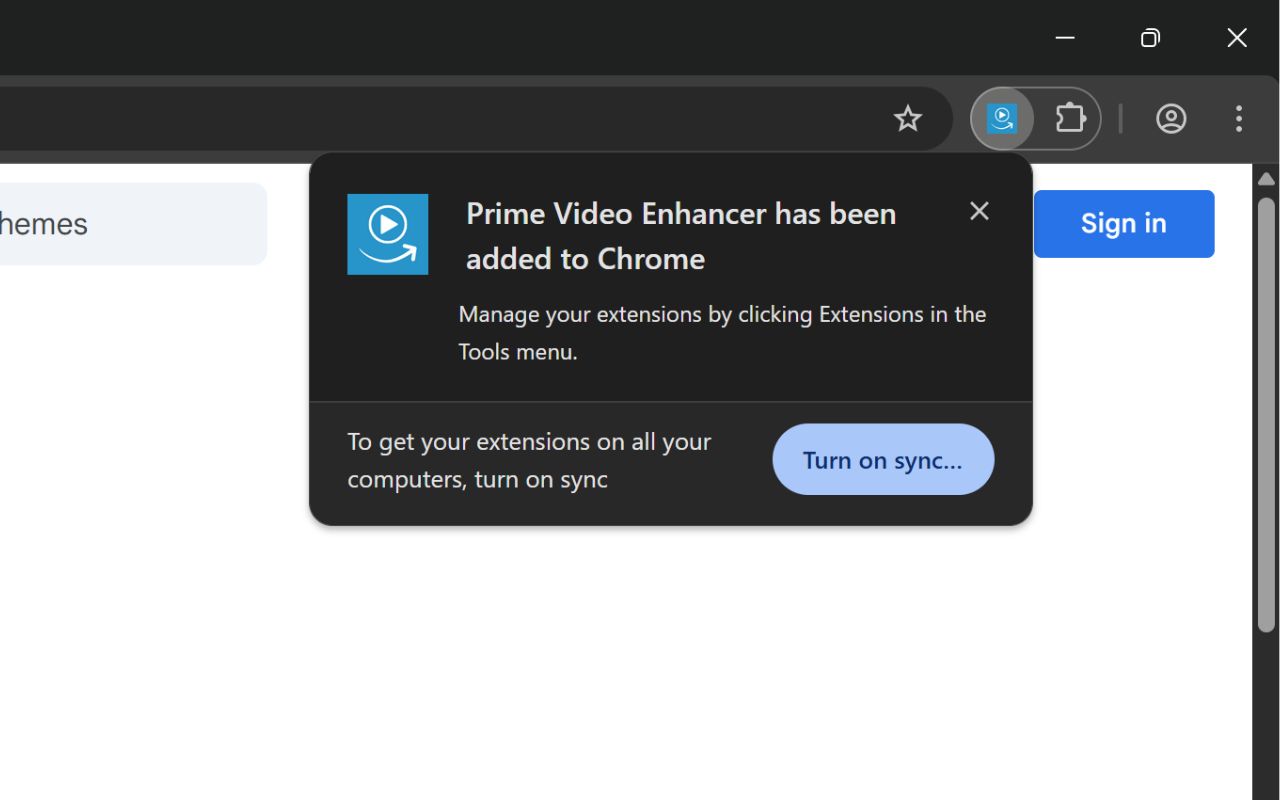
Click "Add extension" in the popup to confirm. Chrome will install the extension instantly and show you a success notification.

Installation takes less than 3 seconds
Success notification showing Prime Video Enhancer has been added to Chrome
5

Pin the Extension

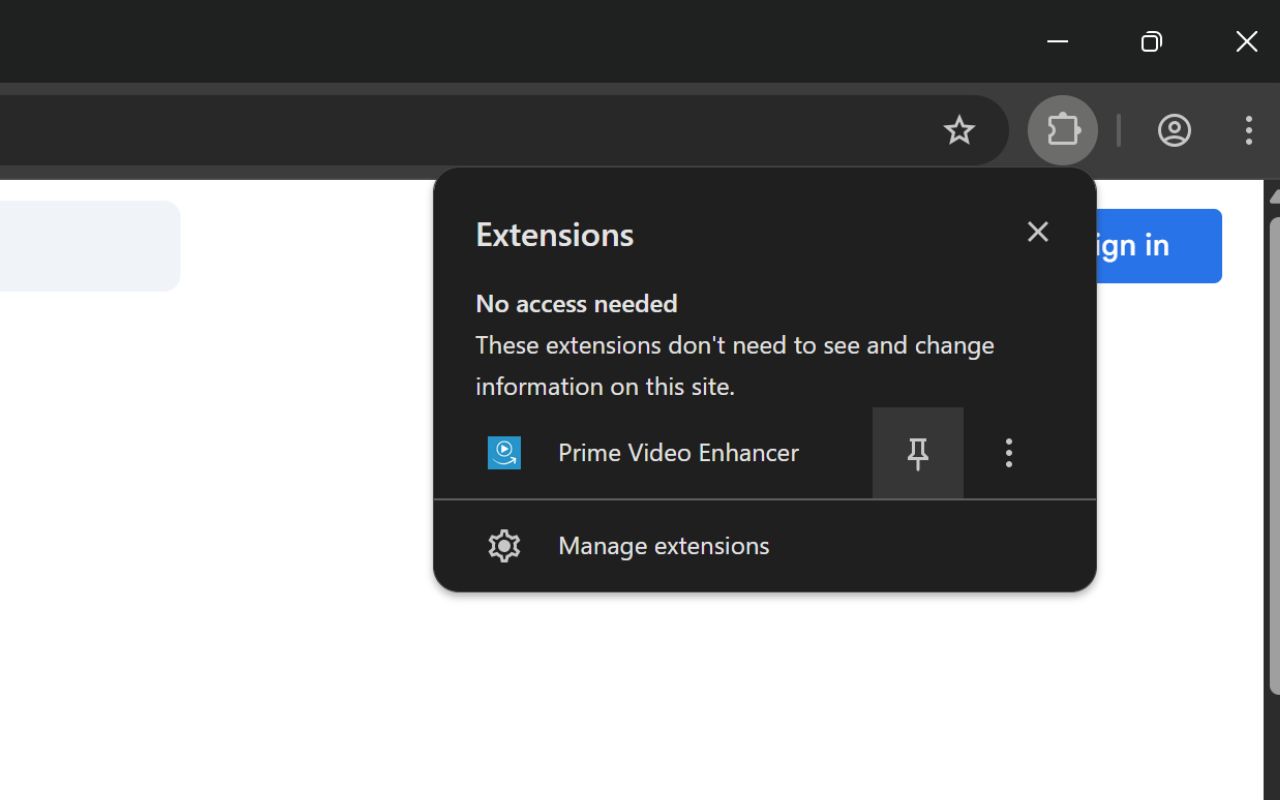
Click the extensions icon (puzzle piece) in your toolbar, then click the pin icon next to "Prime Video Enhancer" to keep it easily accessible.

Important: Pinning makes the extension easy to find when you're watching Prime Video.
Chrome extensions menu showing how to pin Prime Video Enhancer
6

Start Enhancing!

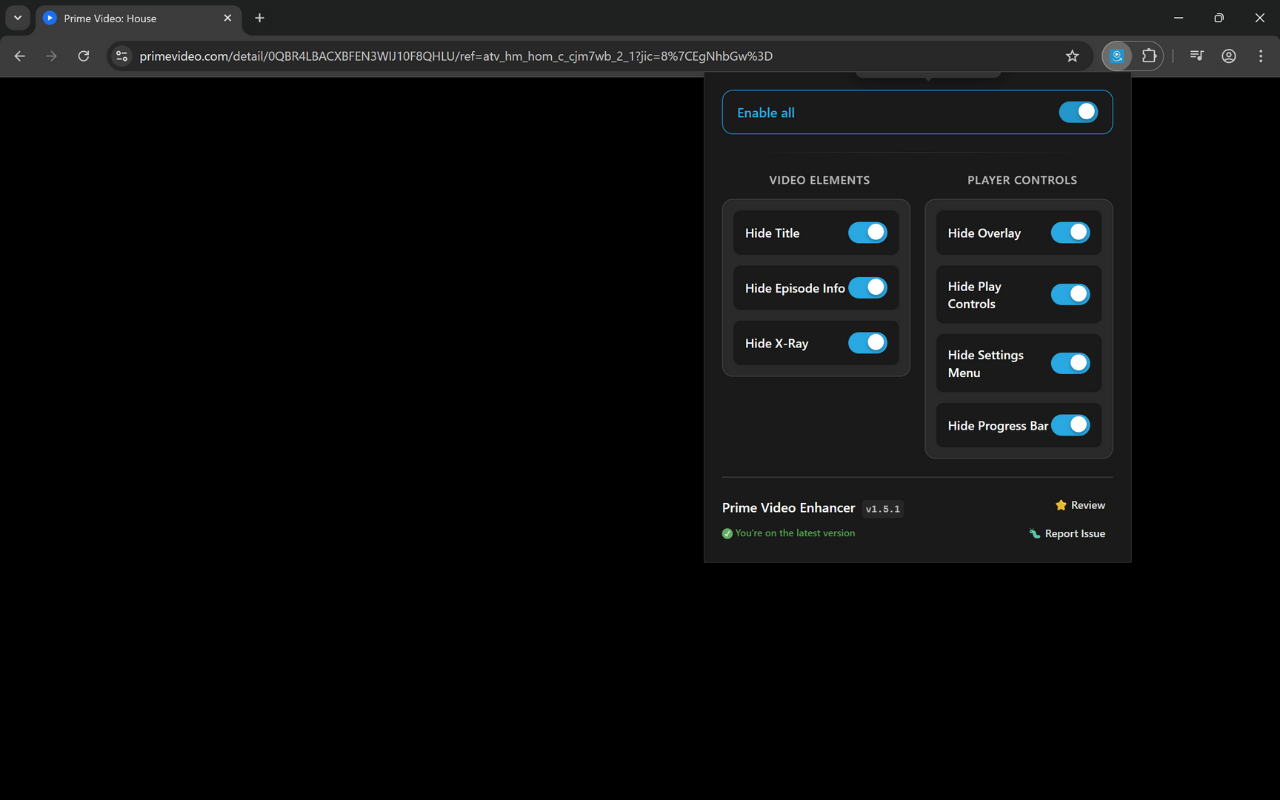
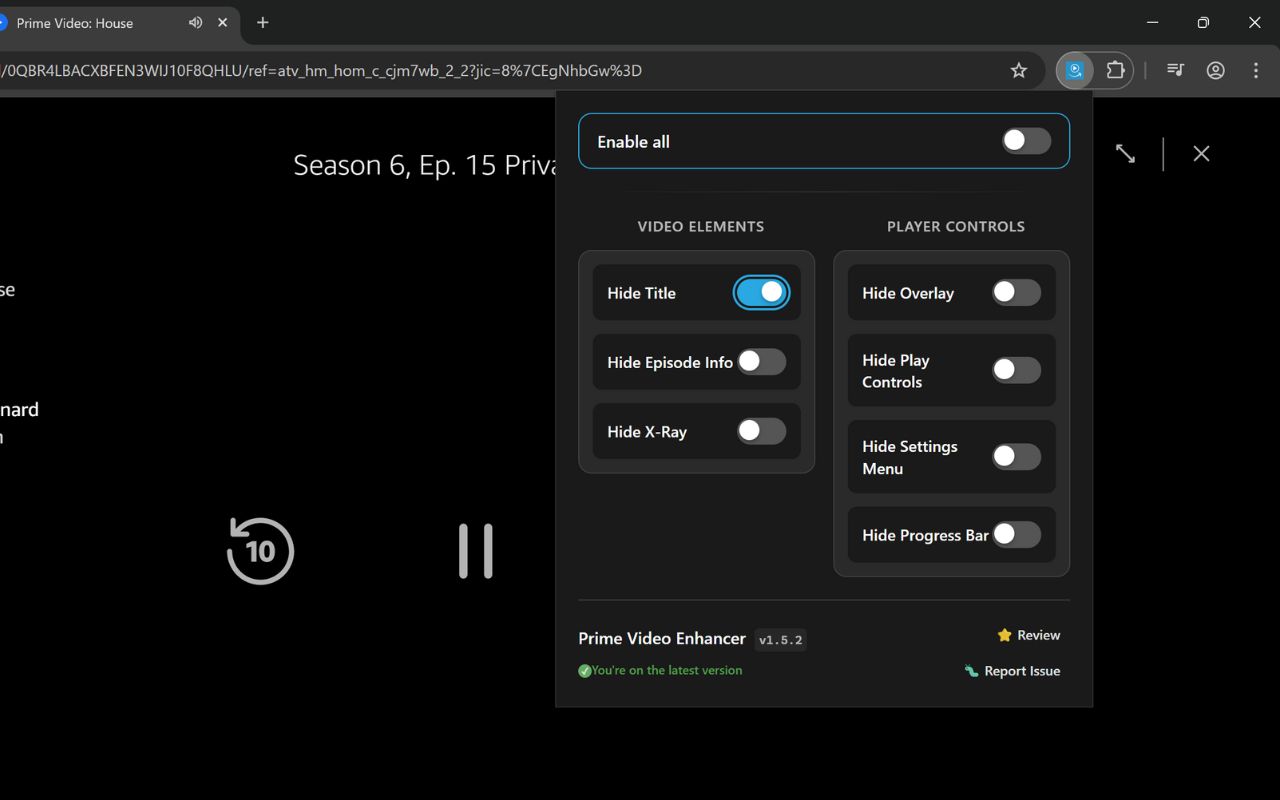
Navigate to any Prime Video page and click the extension icon in your toolbar. Toggle the features you want - changes apply instantly without refreshing the page!

Hide titles and episode information
Remove X-Ray overlays and popups
Clean up player controls and interface
Prime Video page showing the extension popup with toggle controls

Still Having Issues?

As an indie developer, I'm here to help personally. Most issues are resolved quickly.

Get Personal Help

Ready to enhance your Prime Video experience?

Install Prime Video Enhancer

Take Control of Your Prime Video

Join 5,000 users who've transformed their viewing experience.

4.8/5
Chrome Verified
No extension tracking
Report Issue